Get a taste of the full system — work through these free modules online, then upgrade to the complete paid MasterClass anytime.
0%
Your progress0 of 8 modules complete
1
How Facebook & Instagram Actually Work in 2026
Let me start with the thing nobody tells you: posting more isn't the answer. I see business owners burning themselves out posting every day and wondering why nothing happens. The problem isn't effort — it's understanding how these platforms actually decide who sees your content.
Here's the truth in plain English. Facebook and Instagram (both owned by Meta) run on one goal: keep people on the app as long as possible. Every decision the algorithm makes is in service of that. So when you post something, the algorithm shows it to a small handful of people first — and then watches what they do. Do they stop scrolling? Do they watch to the end? Do they like, comment, share, or save it? If yes, it shows your post to more people. If they scroll straight past, your post dies quietly.
That means your job is not to "post content." Your job is to create something that makes people stop, react, and engage in those first crucial seconds. Everything else in this course builds on that one idea.
The four signals that matter most in 2026
The first is watch time and dwell time — how long someone looks at your post or watches your video. A video watched to the end tells the algorithm "this is good, show more people." The second is meaningful engagement — comments and shares count far more than passive likes. A comment is worth more than ten likes. The third is saves — when someone saves your post, that's the strongest signal you can get; it tells Meta your content is genuinely valuable. The fourth is shares to others — when someone sends your post to a friend or shares it to their story, the algorithm treats that as gold.
Notice what's missing from that list: follower count. You do not need a huge following to reach a lot of people in 2026. A small account with content that gets watched, saved, and shared will out-reach a big account posting boring updates. This is the most important shift to understand, and it's genuinely good news for small businesses.
Facebook vs Instagram — where should you focus?
Facebook still has the widest reach in New Zealand and skews slightly older — it's brilliant for local community, events, and reaching the 30-plus crowd. Instagram skews a bit younger and is more visual — better for brand-building, behind-the-scenes, and anything where how it looks matters. My advice for most NZ businesses: set up both (they link together through one Meta account), but lead with whichever one your customers actually use. If you sell to local homeowners, Facebook. If you're a café, a salon, a builder showing transformations — Instagram.
Your checklist for Module 1
Understand that engagement in the first hour determines your reach
Set up a Meta Business Suite account (free) to manage both platforms
Link your Facebook Page and Instagram account together
Decide which platform you'll lead with based on where your customers are
Facebook Marketing MasterClass — full overview
Go Deeper
Want the full in-depth video lessons, templates, and swipe files? Get the complete paid MasterClass.
Your Profile & Page: The Foundation Everything Sits On
Before you post a single thing, your profile has to do its job — because every piece of content you create will send people back to it. A great post with a weak profile is a leaky bucket. People arrive, aren't convinced, and leave.
Think about what happens when someone discovers you. They watch your video, they think "interesting," and the very next thing they do is tap your profile. In about three seconds they decide: follow, or keep scrolling. Your profile has to win that three-second test.
Your Facebook Business Page essentials
Your page name should be your business name exactly as people search for it. Your profile photo should be your logo or, if you're the face of the business (like I am), a clean professional headshot. Your cover image is prime real estate — use it to show what you do and include a clear line about who you help. Fill in every field in the About section: website, phone, email, hours, and your story. And pin a welcome post to the top that introduces your business and tells people what to do next.
Your Instagram profile essentials
Your username should be your business name or your own name if you're the brand. Your bio has about 150 characters to do a big job, so use this simple formula: who you help, what you do for them, where you are, and one clear call to action. For example: "I help Auckland businesses get found online · Social media + marketing · Book a free call below." Your profile photo needs to be recognisable even at tiny size. And your "link in bio" should not just be your homepage — it should be a single landing page or link hub that routes people to the action you want (book a call, get a guide, shop).
Then there are Story Highlights — the little circles under your bio. These are permanent, unlike regular Stories. Create highlights for the things a new visitor wants to know: About, Services, Reviews, and FAQs. They turn a casual visitor into someone who understands and trusts you.
Your checklist for Module 2
Business name consistent across both platforms
Professional profile photo (recognisable at small size)
Bio that states who you help, what you do, and one call to action
Link in bio points to a landing page, not just your homepage
Pinned welcome post on Facebook
Story Highlights created: About, Services, Reviews, FAQs
Go Deeper
Want the full in-depth video lessons, templates, and swipe files? Get the complete paid MasterClass.
This is where most businesses get stuck: "What do I actually post?" Let me make it simple. You don't need to be clever or go viral. You need a repeatable system, and you need to understand the five types of content that work for every business.
The five content types
The first is educational — teach something useful. Answer the questions your customers always ask. This positions you as the expert and gets saved and shared. The second is behind-the-scenes — show how you work, your process, your team, a day in the life. People buy from people, and this builds the connection. The third is social proof — reviews, results, testimonials, before-and-afters. This is the content that actually drives sales because it shows you deliver. The fourth is offers — promotions, launches, "book now" with a real reason to act. The fifth is personality — you, your story, your opinions. This is what makes people care about your brand specifically rather than a competitor.
If you rotate through these five types, you'll never run out of ideas and you'll have a healthy mix that both builds an audience and drives sales.
The hook is everything
Here's the single most important skill in content: the hook. The first 1.5 seconds of a video, or the first line of a post, decides whether anyone keeps going. People scroll fast. You have to earn the next second of their attention, then the next.
Good hooks do one of a few things: they create curiosity ("Here's what nobody tells you about selling a house"), they call out the audience ("If you run a small business in Auckland, watch this"), they make a bold or surprising statement ("Most agents are wasting your marketing budget"), or they promise value ("Three things I'd fix on your website in five minutes"). Start mid-action. Don't introduce yourself first — earn the attention, then tell them who you are.
Captions that get engagement
For written posts and video captions, use a simple structure: hook line first (the bit that shows in the feed before "more"), then deliver the value in short readable lines, then a clear call to action — usually a question, because questions drive comments, and comments drive reach. End with something like "What would you add?" or "Have you experienced this?" to invite a reply.
Your checklist for Module 3
Identify your 3–4 content pillars (the topics you'll post about)
Write 5 hooks you can reuse and adapt
Plan a rotation through the five content types
End every post with a question or clear call to action
Go Deeper
Want the full in-depth video lessons, templates, and swipe files? Get the complete paid MasterClass.
If Module 3 is about what to post, this module is about the format that grows you fastest in 2026: short-form vertical video. Reels on Instagram, video on Facebook, and the same content works on TikTok and YouTube Shorts too.
Here's why Reels matter so much. Regular posts mostly reach your existing followers. Reels get pushed to people who don't follow you yet — the algorithm actively distributes them to new audiences. That means every Reel is a chance to reach a brand new potential customer. This is how small accounts grow fast in 2026, and it costs nothing but your time.
Filming on your phone — you need almost no gear
Film vertically, 9:16, using your phone's rear camera (it's higher quality than the front-facing one). Find good light — natural light from a window is free and looks great; just face the light, don't have it behind you. Keep the camera steady, prop it up or use a cheap tripod. That's genuinely all you need to start. People overthink the equipment and underthink the message.
The structure of a Reel that works
Hook in the first 1.5 seconds (we covered hooks in Module 3 — they matter even more in video). Deliver one clear idea — don't try to cram five tips into 30 seconds, do one thing well. Keep it moving — cut out the pauses, the "ums," the slow bits. And add captions, because most people watch with the sound off — if there are no captions, they scroll on.
Use trending audio
On Instagram and TikTok, using a trending sound gives your video a reach boost — the algorithm promotes content using popular audio. Browse the audio library, look for the little arrow trending icon, and use sounds that fit even if you're talking over them quietly. It's a free reach hack and most businesses ignore it.
Batch your content
Here's the secret to staying consistent without it taking over your life: batch. Set aside two hours, get dressed, set up your phone, and film 6–8 short videos in one session. Then you've got two weeks of content done. Trying to film one video a day is what burns people out. Batching is how busy business owners stay consistent.
Your checklist for Module 4
Film vertically on your rear camera in good light
Hook in the first 1.5 seconds
One clear idea per video
Always add captions
Use trending audio where it fits
Batch-film several videos in one session
Innovative real estate marketing strategies NZ
Go Deeper
Want the full in-depth video lessons, templates, and swipe files? Get the complete paid MasterClass.
Consistency beats brilliance. An average post every week for a year will grow your business far more than a brilliant post once every three months. But consistency is hard — so let's build a system that makes it almost automatic.
The weekly rhythm
You don't need to post every day. For most NZ small businesses, three times a week is plenty if the content is good. Here's a simple rhythm: Monday, post something educational (a tip or insight). Wednesday, post social proof (a result, a review, a before-and-after). Friday, post personality or behind-the-scenes. That's three posts, each with a clear purpose, and you're never staring at a blank screen wondering what to post.
The best times to post for NZ audiences
Generally, early morning (7–9am) when people check their phones before work, and evening (7–9pm) when they're relaxing, are the strongest windows for New Zealand audiences. But don't obsess — consistency matters more than perfect timing. Post when you can sustain it.
Batch and schedule
We talked about batch-filming in Module 4. Take it further: batch everything. Set aside a couple of hours at the start of each week or month to create your content, then schedule it using Meta Business Suite (it's free and lets you schedule both Facebook and Instagram in advance). Now your marketing runs even when you're busy with actual work.
Repurpose ruthlessly
One piece of content should become many. Film one good video and you've got: a Reel for Instagram, a video for Facebook, a TikTok, a YouTube Short, and stills or quotes for feed posts. One idea, five-plus pieces of content, across multiple platforms. This is how you appear everywhere without creating five times the work.
Reply to everything
When someone comments, reply. When someone messages, respond quickly. Engagement begets engagement — the algorithm sees the activity and the person feels valued. Your replies in the first hour after posting genuinely help the post reach more people.
Your checklist for Module 5
Set a realistic posting rhythm (3x per week is plenty)
You can grow a long way organically, but paid ads are how you scale and reach people fast. The good news: Meta's ad targeting is so precise that even $10 a day can outperform expensive traditional advertising. You don't need a big budget — you need to do it right.
Install the Meta Pixel first — before you spend a dollar
The Pixel is a small piece of code on your website that lets Meta track who visits. Why does this matter? Because it lets you do the single most powerful thing in advertising: retargeting (more on that below). Install the Pixel now, even before you run any ads, so it's collecting data and ready when you are.
Start by boosting your best post — properly
Most people "boost" a post badly: they hit the boost button, pick nothing, and waste money. Here's the right way. Look at your organic posts and find the one that already performed best — the one that got the most engagement naturally. That's proven content. Boost that one, not a random new post. Set a small budget ($5–$10 a day for a week), target your specific area and the age range of your ideal customer, and include a clear call to action.
Targeting for local NZ businesses
This is where Meta ads shine. You can target by location (your suburb plus a radius), by age, by interests, and by behaviour. A local café can show ads only to people within 5km. A wedding photographer can target recently engaged people. This precision is why a small, well-targeted budget beats a big, unfocused one.
Retargeting — the highest-ROI ads there are
Here's the one to pay attention to. Most people who visit your website don't buy or enquire on the first visit. Retargeting shows ads specifically to those people who already visited — they already know you, so they convert far better and cost less. Once your Pixel has been collecting data for a couple of weeks, set up a retargeting campaign. This is consistently the best-performing, cheapest advertising you can run.
Reading the numbers
Don't drown in metrics. Watch a few that matter: cost per result (what you pay for each lead or sale), click-through rate (are people interested enough to click), and reach. If an ad is working, give it more budget slowly. If it's not, change the image or the hook first — that's usually the problem.
Your checklist for Module 6
Install the Meta Pixel on your website now
Boost your best-performing organic post, not a random one
Target by location, age, and interest
Set up a retargeting campaign once the Pixel has data
Track cost per result and scale what works slowly
Go Deeper
Want the full in-depth video lessons, templates, and swipe files? Get the complete paid MasterClass.
Here's where a lot of "social media advice" stops — but it's the part that actually pays your bills. Followers and likes don't matter if they never become customers. This module is about closing the gap between attention and income.
Map the journey
A stranger doesn't go from "never heard of you" to "paying customer" in one step. They move through stages: they discover you (a Reel reaches them), they follow you, they warm up (they watch more, they trust you), and then they're ready to act. Your content needs to serve all these stages — some content for discovery (Reels), some for trust (social proof, behind-the-scenes), and some that asks for the sale (offers, calls to action).
Use lead magnets to capture details
A follower can disappear when the algorithm changes. An email address or phone number is yours. So offer something valuable in exchange for contact details — a free guide, a checklist, a discount. This is exactly what I do with my free guides and calculators: they deliver real value, and they let me follow up. Build this into your content: "Comment 'GUIDE' and I'll send you my free checklist" is a simple, powerful lead-capture move that also drives engagement.
The DM strategy
A lot of business happens in the direct messages. When someone comments or reacts, that's an opening. Respond, be helpful, and where it's natural, move the conversation toward how you can help them. Don't be pushy or spammy — be genuinely useful, and let the sale happen naturally. People buy from people they trust.
Ask for the sale
This sounds obvious but most businesses don't do it. Your audience won't act unless you tell them what to do. Regularly post clear calls to action: book a call, visit the shop, claim the offer, send a message. Make it easy and make it specific. Attention without a call to action is wasted.
Your checklist for Module 7
Create content for each stage: discovery, trust, and action
Build a lead magnet to capture emails or phone numbers
Use comment-to-DM prompts to start conversations
Post clear calls to action regularly — tell people what to do
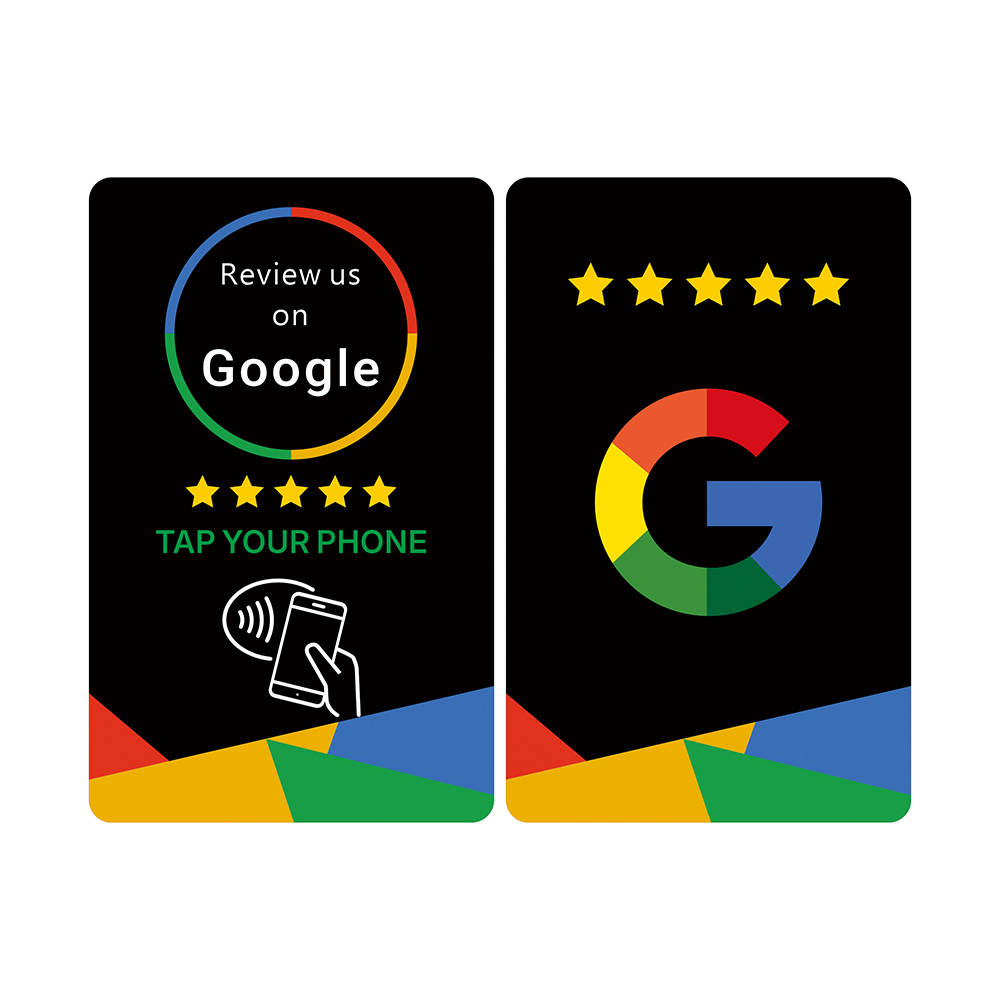
Stack physical-world conversion on top: get a tap-to-review NFC card so happy customers can leave a Google review in one tap. Google Review NFC Card →
Go Deeper
Want the full in-depth video lessons, templates, and swipe files? Get the complete paid MasterClass.
You've built the foundation, you're creating content, you understand ads, and you know how to convert. This final module is about keeping it going and making it better over time — because marketing isn't a one-off, it's a habit.
The metrics that actually matter
Ignore vanity metrics. Follower count feels good but doesn't pay bills. The numbers worth watching are: engagement rate (are people interacting), reach (how many people you're getting in front of), saves and shares (the strongest content signals), profile visits (interest in you specifically), and most importantly — leads and enquiries (the actual business result). Track these monthly, not obsessively day to day.
Your monthly review routine
Once a month, spend 30 minutes looking back. Which post got the most engagement? Which one drove enquiries? What format worked best — Reels, carousels, single images? Then do more of what worked and less of what didn't. That's the entire secret. Marketing is an experiment, and your job is to reward the winners. Most businesses never do this review, which is why they plateau.
When to outsource
At some point, doing it all yourself becomes the bottleneck. If marketing is eating the time you should spend running your business, or if you've hit a ceiling you can't break through, that's when bringing in help makes sense — whether that's a freelancer, a team member, or an agency. Know your numbers first, so you know what good help should deliver.
Your 90-day action plan
Don't try to do everything at once. Here's how to start: In your first 30 days, set up your profiles properly and start posting three times a week using the five content types. In days 30–60, lean into Reels and start batching and scheduling. In days 60–90, install your Pixel, run your first small boosted post and a retargeting campaign, and review what's working. Ninety days of consistent action will put you ahead of the vast majority of businesses that start and stop.
Your checklist for Module 8
Track engagement, reach, saves, profile visits, and leads — monthly
Do a 30-minute monthly review and double down on what works
Know when doing it yourself is costing more than outsourcing
Follow the 90-day plan: foundations, then video, then ads
Enter your details to access all 8 modules — completely free.
Google Review NFC Cards · NZ
Tap. Review.Rank higher on Google.
Premium NFC + QR cards that take any customer straight to your Google review page in one tap. No app. No friction. More 5-star reviews — fast.
NFC + QR
Any modern phone
Free NZ shipping · 3 days
NZ-owned
Why it matters
Google reviews are the #1 thing customers check before buying
Most Kiwis read online reviews before choosing a local business — and Google is the first place they look. More recent 5-star reviews means higher Google Maps ranking, more clicks, more enquiries, more sales.
Top of Google Maps
Review count + recency are two of the strongest local SEO signals. Outrank competitors in the map 3-pack.
Found by more people
More reviews help you show up in more "near me" searches when nearby customers are looking.
Trust that drives sales
Many consumers trust online reviews as much as a personal recommendation from a friend or family.
Higher conversion
A strong, recent star rating helps turn browsers into paying customers.
Free, honest feedback
Reviews tell you exactly what you're doing well — and where to improve — before it costs you customers.
Beats your competitors
Most NZ small businesses ask for a review once, then forget. Consistent asking compounds into a moat.
How it works
Three taps. One 5-star review.
1
Tap or scan
Customer taps the card on their phone — or scans the QR. No app needed.
2
Review opens
Your Google review page opens instantly. They tap stars, type, post.
3
You grow
More reviews → higher Maps ranking → more customers find you. Compound effect.
Turn every appraisal, open home, and settlement into a 5-star review.
Your reviews are your reputation. As a real estate agent, I've seen first-hand that the agents with the most recent 5-star reviews are the ones vendors call first. These cards make it effortless to capture that high-emotion moment — before the customer walks out the door.
Hand one at the listing presentation — vendors review you the moment they sign.
Drop on the kitchen bench at open homes — buyers and neighbours leave reviews on the spot.
Give to settled vendors with the keys — the highest-emotion moment converts best.
Stack reviews monthly to dominate the Google search for your suburb.
"Most agents fight over the same leads. I'd rather build a reputation that has vendors calling me first. These cards turn every handshake into momentum."
— Amit Sharma, Bayleys
Pricing · NZD
Pick your pack
Free NZ shipping · Ships in 3 business days · Secure PayPal checkout