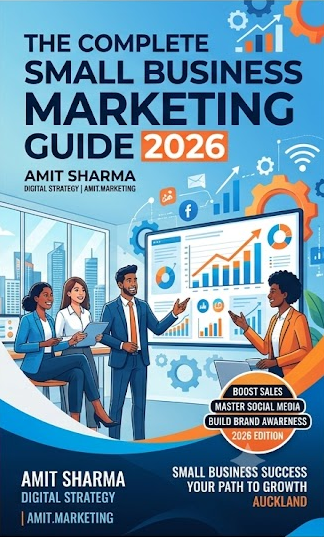
Work through each module below. Mark chapters complete as you go — your progress is saved on this device. At the end, we'll email you the full PDF.
9 modules30-day action planNZ-focused
0%
Your progress0 of 9 modules complete
1
Why Digital Marketing Matters in 2026
Most New Zealanders now start with a search or a scroll. Someone needs a plumber in Papakura, a café in Ponsonby, an accountant in Tauranga — they type it into Google or Maps, or they ask someone in a local Facebook group. Whether you show up in that moment is almost entirely a function of a few free profiles you either set up properly or didn't.
That's the good news and the uncomfortable news at once. The most powerful tools available to a small NZ business — Google Business Profile, a Facebook Page, an Instagram account, a YouTube channel, an email list — cost nothing to set up. What they cost is attention, consistently, for longer than feels comfortable.
Where this course fits
This is the broad foundation: the whole channel mix, in order of what usually pays off first for a small NZ business. Two companion courses go sideways from here, and they're both free:
Go deeper on social
The free Social Media Course covers hooks, short-form video, posting rhythm and paid amplification in far more depth
Take it after Modules 3–6 here, once your profiles exist
Best if social is where your customers actually are
Do all of it faster
The free AI for Small Business Course covers using AI to draft, plan and produce all of this
It halves the time everything in this course takes
Best once you know what you want to say — AI speeds up saying it
Google Business Profile — highest return, lowest effort
One social platform where your customers already are
Email — the list you own outright
Reviews — the thing that closes people
Add when the first four are running
A second social platform
YouTube — the slow compounding one
LinkedIn, if you sell to businesses
Paid ads, once organic works
The single most common failure I see isn't bad content. It's a business owner who opened six accounts in one weekend, posted three times on each, and quietly abandoned all of them by month two. Two channels, done properly, beats six done occasionally — every time, without exception.
Set the measurement up now, not later
Decide today what "working" means for you, in a number you can actually check. Not followers. Something like: enquiries per week, calls from your Google listing, quote requests, bookings, list signups. Write the current number down somewhere before you change anything, or in 90 days you'll have no idea whether any of this helped.
Write down where your last 10 customers actually came from
Pick the two channels that list points to — not the two you find most interesting
Write down your current weekly enquiry count as a baseline
Block 2 hours a week in your calendar, recurring, for marketing
Commit to 90 days before you judge anything
💡 Tip
Don't try to be on every platform at once. Pick two, do them well for 90 days, then decide. Consistency beats reach in the first year.
Facebook Marketing MasterClass — see what great marketing looks like
2
Google Business Profile & Reviews
If you do only one thing from this entire course, make it this. Your Google Business Profile is what appears in Maps and in the local pack at the top of search results — the box with the three businesses, the star ratings and the phone buttons. It's free, it takes about 30 minutes to set up properly, and for most local NZ businesses it produces more enquiries than every social platform combined.
It's also the most neglected. Go and look at your three closest competitors right now: you'll usually find at least one with no photos since 2021, no description, and three unanswered reviews.
Setup cost
$0
Time to set up
~30 min
Year-one review target
50
Setup checklist
Claim your listing at business.google.com and complete verification
Set the most specific primary category that fits (not a vague one), then add secondaries
Name, phone, website and address exactly as they appear everywhere else — identical, character for character
Set your service area if you travel to customers rather than having a shopfront
Upload at least 10 real photos — exterior, interior, team, work in progress, finished results
Write the full description: what you do, who for, which suburbs, in plain language
Opening hours including NZ public holidays and the Christmas shutdown
Turn on messaging only if you will actually reply within a few hours
Pre-answer your top 5 customer questions in the Q&A section yourself
Add products or services with real prices or price ranges
Post an update every week — an offer, a finished job, a seasonal note
Consistency across the web (your NAP)
Name, Address, Phone. Google cross-checks these across the internet, and mismatches quietly cost you visibility. "Unit 3/12 Great South Rd" on your website and "3/12 Great South Road" on Yellow is exactly the kind of inconsistency worth an hour of your time to fix. Check your website footer, Facebook Page, Yellow, Neighbourly, any trade directory, and old listings you've forgotten about.
Reviews — the mechanics that actually work
Reviews are the closing argument. Someone who found you on Maps and is deciding between you and two others will read them, and they'll read your replies just as carefully.
✅ What works
Ask within 24 hours of finishing the job, while the goodwill is fresh
Ask in person first, then send the link by text
Send a direct review link — never "search for us on Google"
Reply to every review, good and bad, within a couple of days
Ask everyone, consistently — not just the delighted ones
🛑 What backfires
Offering discounts or prizes for reviews (against Google's policies)
Buying reviews — they get detected and removed
Asking 30 people in one week then never again (looks unnatural)
Arguing publicly with a one-star review
Leaving negative reviews unanswered for weeks
On bad reviews: reply once, briefly, publicly, without defensiveness. Thank them, acknowledge the specific issue, state what you're doing about it, and offer to take it offline. You're not writing for the angry reviewer — you're writing for the next 200 people who'll read that exchange. A calm reply under a harsh review has sold more jobs than most ad campaigns.
💡 Tip
Steady beats spiky. Five reviews a month, every month, at 4.8+ will put you ahead of nearly every local competitor within a year — and looks far more credible than 40 reviews that all arrived in one fortnight.
The friction problem — and two ways to kill it
Almost everyone who intends to leave you a review never does. Not because they don't like you — because on a phone, in a hurry, finding your listing takes six taps. Remove the six taps and your review rate transforms.
Print the QR code on your invoice, your receipt, a card in the bag, a sticker on the counter, the back of your business card. Under it, one line: "30 seconds — it genuinely helps a small local business."
💳
The zero-friction version — tap-to-review NFC cards
A QR code needs a camera app and good light. An NFC card needs neither — the customer taps their phone on the card and your Google review page opens instantly. No searching, no typing, no app. Keep one at the counter and one in the van.
1 tap = review page opens instantlyWorks with any modern smartphonePre-programmed for your Google listingUsed by NZ cafes, trades & retail
I set up and manage Google Business Profiles for NZ businesses — categories, photos, weekly posts and a review system that runs itself. Book a consultation → amit.marketing/marketing
3
Facebook Marketing
Facebook remains the widest-reaching platform in New Zealand across age groups, and — more importantly for a local business — it's where suburb-level community life happens. Local buy/sell/swap groups, school groups, neighbourhood pages: that's the real asset, not your Page's follower count.
Page setup
Create the Page at facebook.com/pages/create — a Page, never a personal profile for business
Complete the About section fully, including service areas and hours
Profile photo and cover image that read clearly at thumbnail size on a phone
Add the action button that matches how you get work — Call, Book, Message or Learn More
Pin a welcome post explaining what you do, who for, and how to get a quote
Link your Instagram account so you can post to both at once
Add at least two admins so you're never locked out of your own Page
Local groups — the underrated part
One genuinely helpful answer in a local community group will out-perform a month of Page posts. The rule is simple: be useful in public without pitching, and let people click your name. Answer the "can anyone recommend…" threads with substance. Follow each group's rules on self-promotion strictly — getting removed from a 12,000-member suburb group is an expensive own goal.
What to post
Finished work — before and after, with the specific detail
Behind-the-scenes of an ordinary day
A customer question, answered properly
Community involvement — a local sponsorship, a school gala
Short vertical video, filmed on your phone
A clear offer, occasionally — roughly one in five posts
A workable weekly rhythm
Monday — a practical tip
Wednesday — a result or before/after
Friday — something human about you or the team
Post when your customers are on their phones: early morning or evening NZT
Reply to every comment within 24 hours
Check your own Page insights monthly and post more of what worked
Organic reach for Pages is genuinely low now and will keep falling. Treat your Page as your credibility file — the thing people check before calling you — and treat groups, DMs and paid reach as where the actual distribution happens.
Facebook ads without wasting money
You don't need a big budget; you need a good post and tight targeting. Around $10–20 a day is enough to learn something meaningful for a local business. The single highest-return move: boost a post that already performed well organically. Ads amplify, they don't rescue. If a post did nothing for your free audience, paying to show it to strangers won't fix it.
Target your suburb plus a realistic radius — not all of New Zealand
Match the age range to your actual customers, not everyone 18–65
One clear call to action per ad — call, message, or book
Run it at least 5–7 days before judging it; don't panic on day one
Test two versions of the image or hook, not five variables at once
Track enquiries, not likes. Likes don't pay invoices
Make it with Paji Studio
Ad creative is where most small budgets get wasted — the targeting is fine, the image is forgettable. Describe the shot you want in a sentence and Paji Studio generates it: post visuals, ad variations, and short video from a still. New accounts get 60 free credits, which is enough to test a batch of hooks before you spend a cent on media.
Before you upload: compress your video so it uploads fast and doesn't get crunched, and compress your images so your linked page loads quickly on mobile data.
Want the deeper version of this module? The free Social Media Course covers hooks, content systems and paid amplification properly.
Want this done for you?
I run Facebook and Instagram ad campaigns for NZ businesses — including Circle K NZ, NCP Group and KONKA. Book a consultation → amit.marketing/marketing
4
Instagram for Business
Instagram is where a business gets to look like something. If what you sell is visual — food, hair, homes, renovations, fitness, product, anything with a before and after — this is where new customers will find you, and Reels are how they'll find you, because Reels are still shown heavily to people who don't follow you.
Profile optimisation
Switch to a Professional Account (free, unlocks insights and scheduling)
Username: your business name or your own name — searchable, no underscores-and-numbers soup
Name field: put your service and city here, e.g. "Auckland Electrician" — it's searchable, the username field matters less
A clear photo — a face outperforms a logo for a small business
Bio: who you help, what you do, where, and one call to action
One link, pointing somewhere useful — booking, quote form, or your site
Story Highlights: About, Services, Pricing, Reviews, FAQs — covers designed to match
Turn on quick replies for the three questions you answer every day
Reels — the format that reaches new people
Film vertical (9:16) on the rear camera, near a window. Your phone is genuinely good enough; light and audio are what separate amateur from professional, not the sensor. The first two seconds decide everything — start mid-action, mid-sentence, or with the result, and cut the introduction entirely. Nobody has ever stayed for "hi guys, welcome back".
Do
Burn in captions — most people watch with sound off
Change the shot every 3–5 seconds
Show the work, the result, the specific number
One clear call to action at the end, only one
Post 3–4 Reels a week, consistently
Don't
Open with a logo animation or an intro sting
Film horizontal and crop it later
Rely on auto-captions without checking NZ place names
Post the raw four-minute version
Chase a trending audio that has nothing to do with you
Stories are the other half: lower stakes, higher intimacy. Behind the scenes, polls, questions, a quick face-to-camera answer. Stories are where your existing audience decides they like you enough to buy.
Make it with Paji Studio
The bottleneck is almost never ideas — it's having something to post. Generate the visuals for a week of posts in one sitting, edit photos you already have, cut a background out cleanly, or animate a still into a short clip for the days you didn't film. 60 free credits to start; plans from NZ$19/month.
I manage Instagram accounts for NZ businesses and produce the short-form video that goes on them. Book a consultation → amit.marketing/marketing
5
YouTube Strategy
YouTube is the slow one, and that's exactly why it's worth doing. A video you upload this month can still be sending you enquiries in three years — social posts are dead in 48 hours. It's owned by Google, so videos surface in ordinary search results too, and most NZ small businesses simply aren't there. The competition for "how to fix a leaking gutter Auckland" is almost nobody.
Getting started
Create your channel and pick a name people would actually search
Banner at 2560×1440px, safe area centred — it crops hard on mobile
Channel description with your service and location in the first 100 characters
Add your website and social links in the About section
Upload a short channel trailer — 60 seconds on who you help
Create playlists by topic before you have many videos, not after
What to actually make
Answer the questions customers ask you on the phone. Literally those, one video each. "How much does X cost in Auckland?" "Do I need consent for this?" "What's the difference between X and Y?" Those videos get found by people who are already close to buying, which is worth vastly more than a viral video watched by nobody relevant.
Videos that earn their keep
The costs question, answered honestly with ranges
How-to and what-to-expect explainers
Customer testimonials and finished projects
Common mistakes in your trade
Local content — a suburb guide, a market update
Shorts: the same content, cut to 60 seconds vertical
Titles and thumbnails
Put the search phrase in the title, near the front
Add the city if it's a local service
One readable idea in the thumbnail, big text, high contrast
Check it at thumbnail size on a phone before publishing
Write a real description with your contact details and links
Add chapters — viewers use them, and they help ranking
💡 Tip
Repurpose everything. One 10-minute video becomes 4 Reels, 4 TikToks, 4 Shorts and 4 Facebook clips. Film once, publish for a fortnight. This is the single biggest time-saver in the whole course.
Free tools you'll need
Long videos are big files. Compress before uploading so you're not tying up your connection for an hour, and compress your thumbnail image so it stays crisp.
Thumbnails and b-roll are where most channels stall. Generate a thumbnail background, produce the cutaway shots you didn't film, or upscale an old low-res clip you still want to use — all in the browser, with 60 free credits to start.
Video strategy, scripting and content repurposing is one of my core services. Book a consultation → amit.marketing/marketing
6
TikTok for Small Business
TikTok's distinguishing feature for a small business is that it will show your content to people who've never heard of you, from your very first post. On most platforms you have to build an audience before you get reach. Here, reach comes first. That makes it the fastest way to be discovered — and the fastest way to waste time if your customers aren't there.
✅ Usually a great fit
Hospitality and food
Retail and product
Trades — the satisfying-work angle
Fitness, beauty, wellness
Anything with a visible transformation
A personal brand you want to build
⏸ Usually lower priority
B2B professional services
Industrial and wholesale
Highly regulated advice work
Anything where your buyer is 60+
The format
Hook in the first 1.5 seconds — the result, the problem, or something visually odd
20–45 seconds is the workable range for most business content
Talk like a person, not a brochure. Personality is the product here
Captions burned in, always
Three to five relevant hashtags, not thirty
Reply to comments with a video — it's the cheapest reach on the platform
Post consistently for 30 days before judging it. The algorithm needs a sample
The realistic warning
Views on TikTok are cheap and enquiries are not. It's entirely normal to get 40,000 views and zero calls if your video didn't make it clear what you do, where you are, and what to do next. Every video needs your location and your offer somewhere in it — on screen, in the caption, or said out loud. A viral video with no context is a hobby, not marketing.
Make it with Paji Studio
Filming every day isn't realistic when you're running a business. Generate b-roll, product shots and openers to cut between your real footage, or animate a still photo into a few seconds of motion — 60 free credits to start.
If you sell to other businesses, LinkedIn is worth more than the rest of social combined. If you sell to consumers, you can skip most of this module — read the profile section, ignore the rest, and spend the time on Modules 2 and 8 instead. Being honest about that will save you months.
New Zealand's professional world is small. On LinkedIn you're rarely more than two connections from anyone you want to reach, which makes warm referrals dramatically easier than cold outreach anywhere else.
Profile optimisation
A professional headshot — plain background, natural light, no sunglasses
Headline: who you help and how, not just your job title
About: 2–3 short paragraphs, first person, and a way to contact you at the end
Experience: results and outcomes, not duties
Skills: 10+, with endorsements from people you've actually worked with
Request recommendations from three clients — specific ones, about specific work
Custom URL, and add it to your email signature
The habit that generates referrals
One substantial post a month, plus a few genuine comments a week on other people's posts. That's it. The post should be 600–800 words, take a real position on something in your industry, and end with a question. The comments matter more than people expect — thoughtful comments on the right posts put you in front of exactly the audience you want, without you needing any following at all.
Do
Write about the mistakes you see clients make
Share a real number or a real outcome
Comment with substance on others' posts weekly
Connect with a short, specific note
Follow up conversations off-platform, properly
Don't
Pitch in the first message after connecting
Post motivational filler with no point of view
Use engagement pods — everyone can tell
Mass-message your connections (also a UEMA risk)
Treat it as a place to repost your Instagram content unchanged
💡 Tip
Write the monthly article about the question a client asked you that made you think. Those posts are always the ones that get shared — because everybody else's clients are asking it too.
Everything else in this course is rented. Your Facebook reach, your Instagram followers, your Google ranking — all subject to a decision made by somebody else. Your email list is the only audience you own outright, and it's the one that reliably still works when a platform changes its algorithm overnight. It's also, consistently, the highest-return channel most small businesses have.
Getting started — free options
Most of the well-known providers have a free tier that comfortably covers a small NZ business's first few hundred contacts. Pick one with a decent free plan, a simple builder and automation you can grow into — then stop researching and start sending. The provider matters far less than the sending.
Building a list that's actually yours
Offer something genuinely worth an email address — a guide, a checklist, a discount, early access
Signup form on every page of your website, not just a contact page
Ask in person at the counter, on the job, at the event
Add a link to your email signature and your invoices
Record where and when each contact opted in — you may need to prove it
Never buy or scrape a list. It destroys deliverability and breaches NZ law
The NZ legal bit — worth two minutes
The Unsolicited Electronic Messages Act 2007 governs marketing emails and texts in New Zealand. In practice: you need consent, every message must clearly identify you and how to contact you, and every message needs a working unsubscribe that you honour promptly. Customer contact details you hold are also personal information under the Privacy Act 2020. Someone buying from you once is not automatic consent for a monthly newsletter — ask.
General information, not legal advice. The Department of Internal Affairs and the Office of the Privacy Commissioner both publish plain-English guidance for businesses.
What to send, and how often
A newsletter that gets opened
One useful insight — something they can act on
One proof point — a result, a job, a review
One clear call to action, and only one
Written like an email from a person, not a brochure
Monthly is plenty. Consistent beats frequent
Automations worth setting up once
Welcome email the moment someone joins
Post-purchase or post-job thank-you, with a review link
Quote follow-up a few days later
Seasonal reminder relevant to your trade
Win-back to customers you haven't seen in a year
Two details that do most of the work: write a subject line you'd open yourself (short, specific, no capitals shouting), and send from a person's name rather than a company. "Amit at…" gets opened. "Marketing Team" doesn't.
Before your next send, email yourself a test and read it on your phone. Roughly two-thirds of your list will read it there. If it needs pinching and zooming, rewrite it shorter.
Writing the newsletter is the part people put off. The free AI for Small Business Course covers drafting these in a fraction of the time, in your own voice.
Want this done for you?
I build email sequences, migrate lists and set up automated nurture campaigns for NZ businesses. Book a consultation → amit.marketing/marketing
9
Your 30-Day Quick Start Plan
Everything above is useless if you close this page and carry on as before. So here's the whole thing compressed into four weeks and roughly two hours a week. Do it in order — each week depends on the one before.
Week 1 — Foundations
Claim and fully complete your Google Business Profile (Module 2)
Fix your NAP so name, address and phone match everywhere
Create or update your Facebook Page
Take 10 real photos — work, team, premises, results
Ask 3 recent customers for a Google review, by text, with a direct link
Write down your baseline enquiry count
Week 2 — First content
Film one 60-second vertical intro video on your phone, near a window
Post it to Facebook and Instagram (and TikTok if that's your audience)
Set up your email tool and add a signup form to your website
Send one email to the customers you already have permission to email
Write down the 10 questions customers ask you most — this is your content plan
Generate the visuals for your first week of posts
Week 3 — Build the rhythm
Post 3× on Facebook using the Monday/Wednesday/Friday pattern
Post 2 Instagram Stories and one Reel
Reply to every comment, message and review — all of them
Answer one question from your list as a short video
Post your first Google Business update
Write one LinkedIn post if you sell to businesses
Week 4 — Amplify and review
Put $10–20/day behind the post that performed best organically
Ask 3 more customers for reviews
Film a second video — answer the next question on your list
Check your Google Business insights: calls, direction requests, website clicks
Compare enquiries this month against your Week 1 baseline
Keep what worked. Drop what didn't. Don't keep a channel out of guilt
Channels
2, not 6
Time per week
~2 hrs
Review point
Day 30
What good looks like at day 30
Not viral. Not a transformed business. You have a complete Google profile collecting reviews, one social channel you post to consistently, a small email list that's growing, and — crucially — a number you can compare to your baseline. That's the whole win at day 30. The compounding starts at month six.
💡 Tip
Diarise the day-30 review right now, before you close this tab. The plans that fail aren't the ones that were wrong — they're the ones nobody ever went back and checked.
Make it with Paji Studio
Week 2 is the one most people skip, because "make the visuals" is where it stops being fun. Do that part first: generate a week of post images, edit the photos you already have, or animate a still into a short clip. 60 free credits, plans from NZ$19/month.
You've got the foundation. Now pick your direction: go deeper on social, get faster with AI, go deep on paid ads with the MasterClass, or make the visuals in Paji Studio. All three courses are free.
Enter your name and email to access all 9 modules — completely free.
Takes 10 seconds · Includes the PDF too
Take It Further
Ready to go deeper?
This course is the broad foundation. These are the tools NZ small business owners reach for next. Your two free companion courses are mapped out just below.